
In this tutorial, you’ll learn how to send a Calendly booking invitation through Chat. We’ll guide you through creating an event type, sharing the URL, and setting up the invitation.
Follow the steps below to send a Calendly booking invitation.
- Create an event type from https://calendly.com/event_types/user/me.
- Click share and copy the URL.
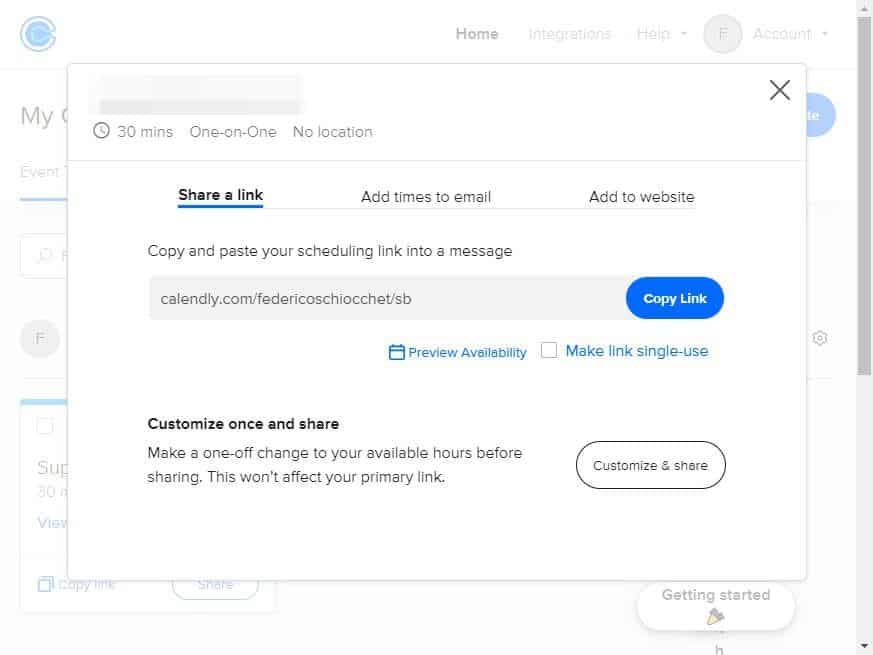
- To send the Calendly invitation, utilize the rich message button type. Ensure to enter the Calendly URL you copied in the previous step as the URL. Additionally, include the success attribute to customize the message that will be sent after the booking is successfully completed. E.g. [button link=”https://calendly.com/federicoschiocchet/sb” name=”Schedule a meeting” success=”Thank you! Your meeting has been scheduled.”]
If you have additional doubts, remember that you can always contact us.