
Learn how to integrate your Telegram bot with Chat in this easy-to-follow tutorial. We’ll guide you through activating the app in Chat, creating or retrieving your bot’s API token via BotFather, and synchronizing it for seamless message management.
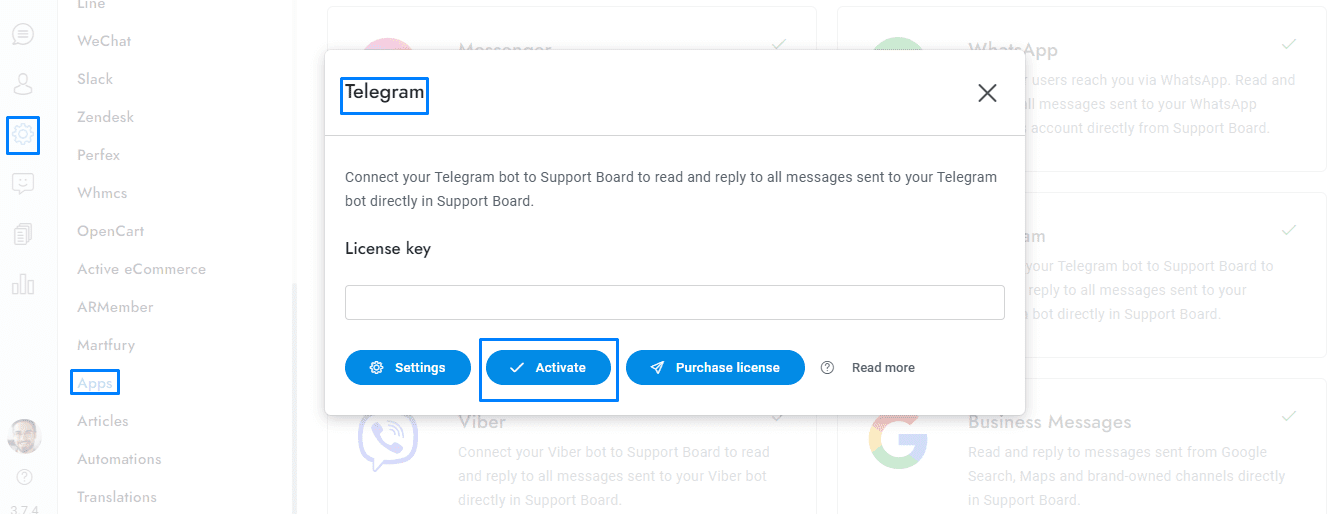
- Go to the admin area of Chat , then go to Settings > Apps > Telegram, and activate the app.
- Go here: https://t.me/botfather.
- If you have already created a Telegram bot in the past, type the command /mybots and open your bot, then click API token.
- If you never created a Telegram bot before, type the command /newbot to create a new bot. The BotFather will ask you for a name and username, enter them and generate the authentication token. More details at https://core.telegram.org/bots.
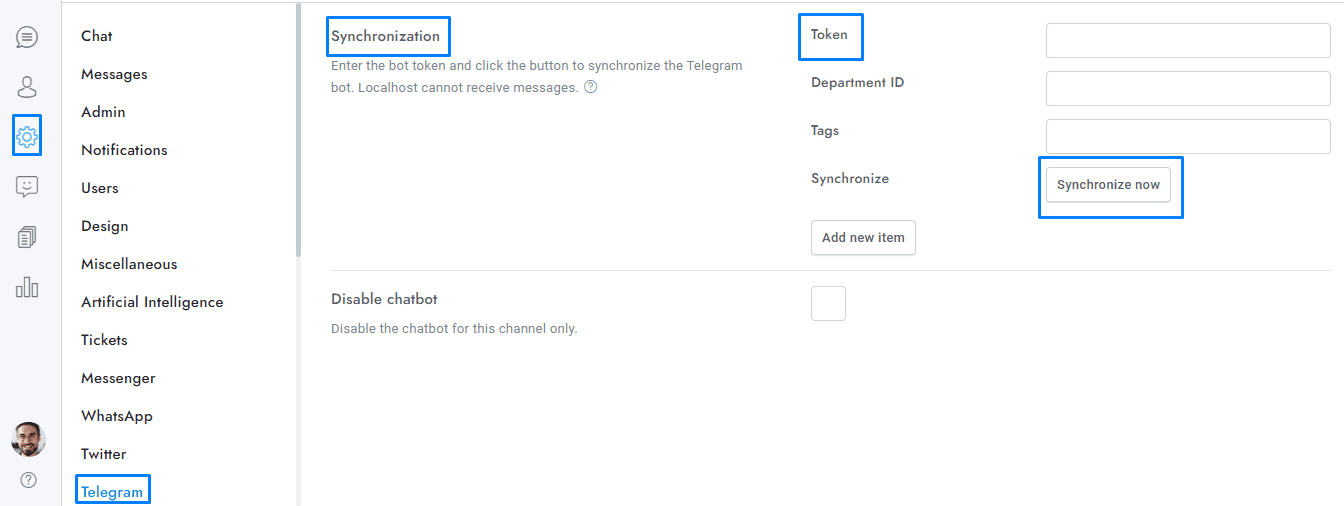
- Copy the token and paste it into Chat > Telegram > Token, then click Synchronize now. Your website must use HTTPS (SSL certificate), HTTP is not supported.
- You’re done. All messages sent to your Telegram bot will appear in the conversation admin area of Chat.
If you have additional doubts, remember that you can always contact us.