
Welcome to our guide on integrating WeChat with Chat! This tutorial walks you through the steps to activate WeChat, register your Service account, and configure synchronization settings.
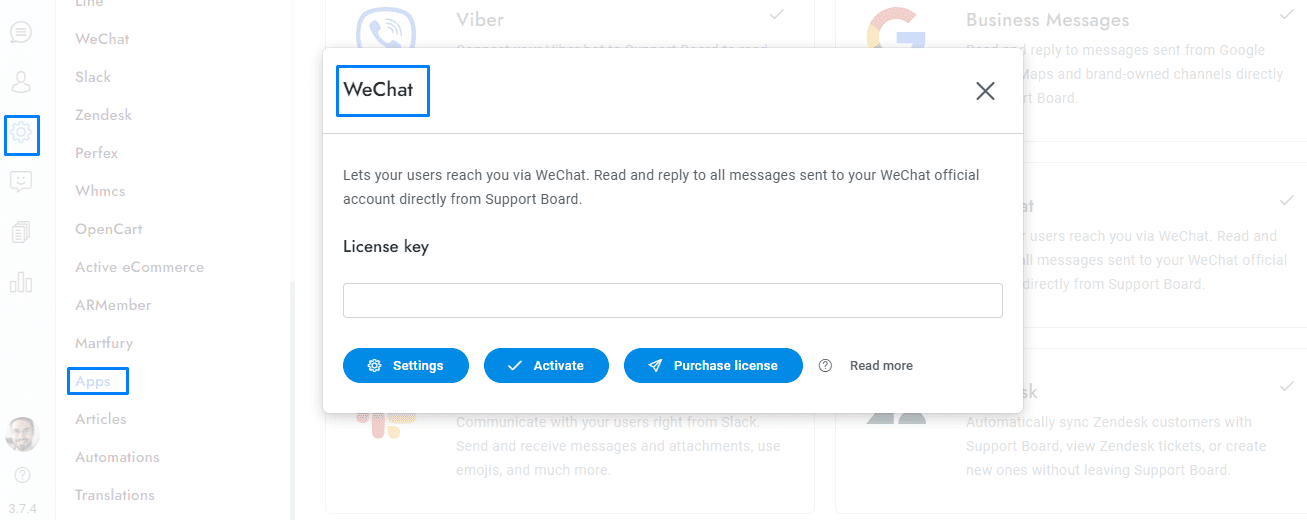
- From Settings > Apps, click WeChat and activate the app.
- Visit https://mp.weixin.qq.com/cgi-bin/readtemplate?t=register/step1_tmpl&lang=en_US and register a Service account.
- After the registration enter Official accounts area and from the left menu click Settings and development > WeChat verification. You must complete the verification, it takes a few weeks and costs USD 99, or CNY 300 for chinese entities.
- From the left menu click Settings and development > Basic configuration and copy Developer ID(App ID), Developer Password(App Secret). Paste the information into Chat > Settings > WeChat.
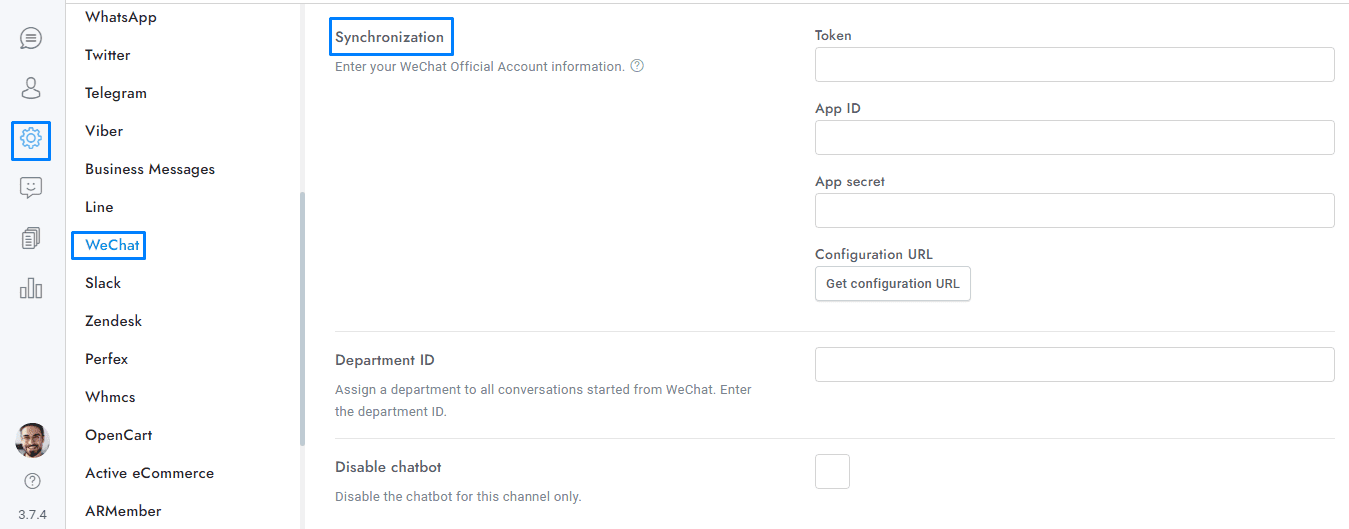
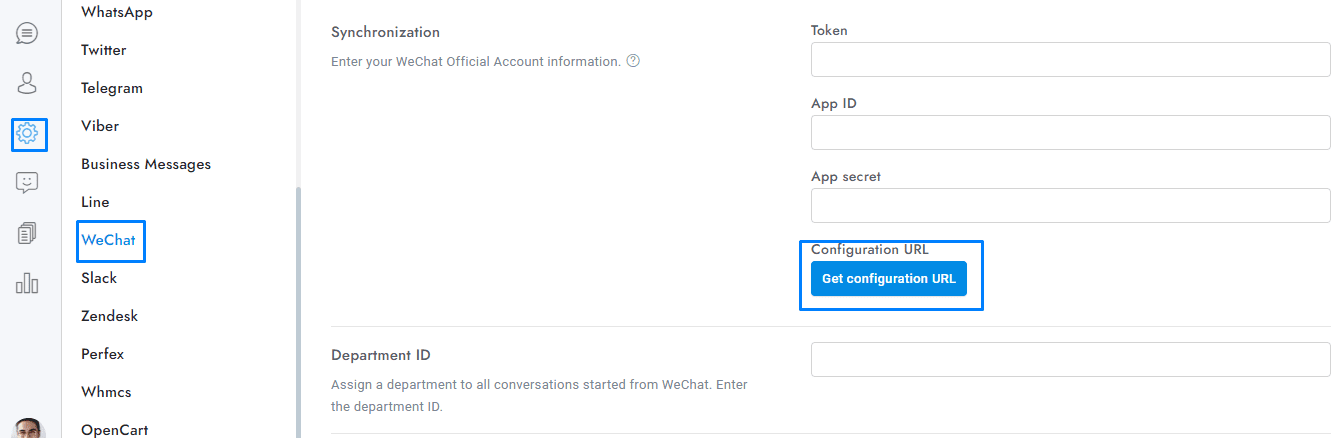
- From the left menu click Settings and development > Basic configuration and complete the server configuration (服务器配置(已启用). In Server Address(URL) enter the URL you get from Chat > Settings > WeChat > Synchronization > Get configuration URL.
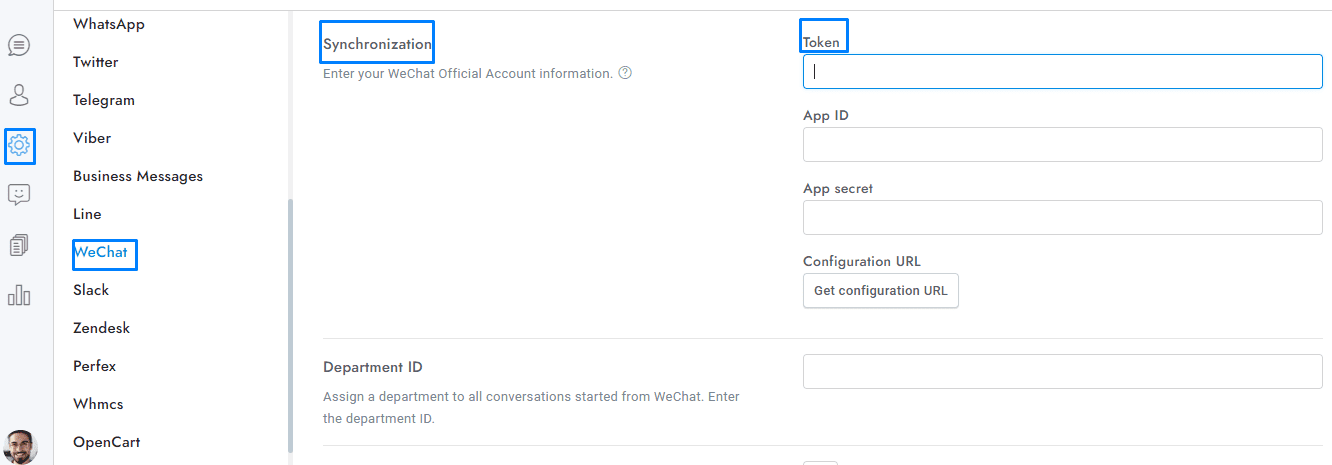
- In Token insert any value you want, the same value must be entered in Chat > Settings > WeChat > Token.
- You’re done. All messages sent to your WeChat account will appear in the conversation admin area of Chat.
If you have additional doubts, remember that you can always contact us.