
This tutorial guides you through enabling log files in Chat to monitor key activities. Logs help track actions like message and conversation management, but are not available in the cloud version.
- You can enable the log file from Settings > Miscellaneous > Enable logs. This feature is not available in the cloud version.
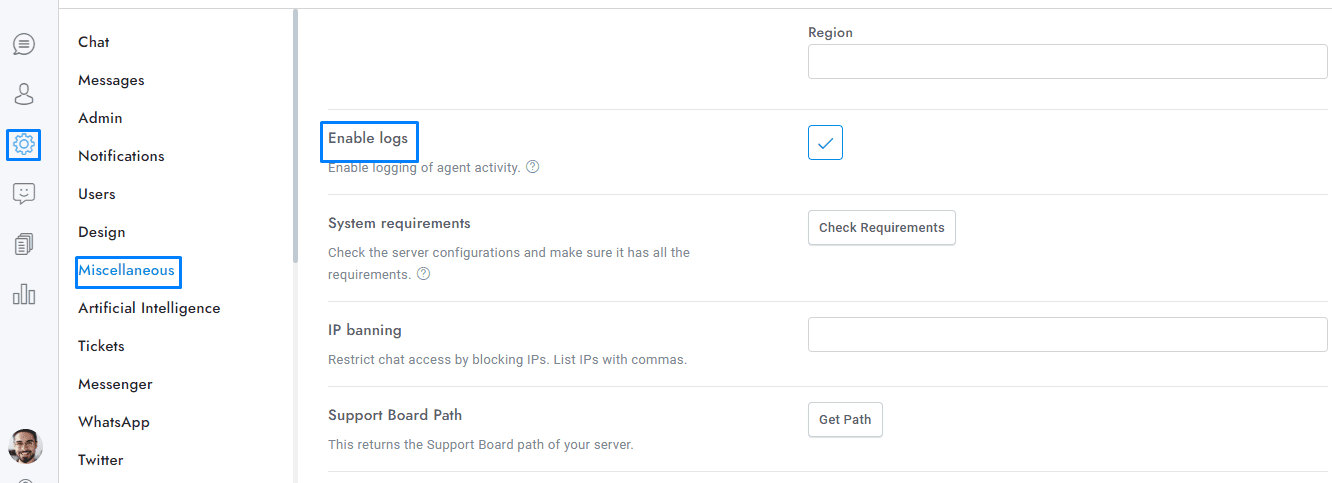
- The log file is saved in the Chat installation directory.
- The logs record the following actions of agents and administrators: message sent, message deleted, conversation archived, conversation deleted, conversation restored, conversation assigned to an agent, conversation assigned to a department, user updated, user deleted.
If you have additional doubts, remember that you can always contact us.